

Booking a train in China is straightforward once you know which platform to use and how passport verification works. This guide explains how to book China train tickets as a foreign visitor using the official 12306 service or Trip.com.
The quick answer: choose 12306 if you prefer to book directly with China Railway, or compare Trip.com if you want a travel platform with English-language booking support. Have your passport ready, enter your details carefully, and check that your ticket has been issued before heading to the station.
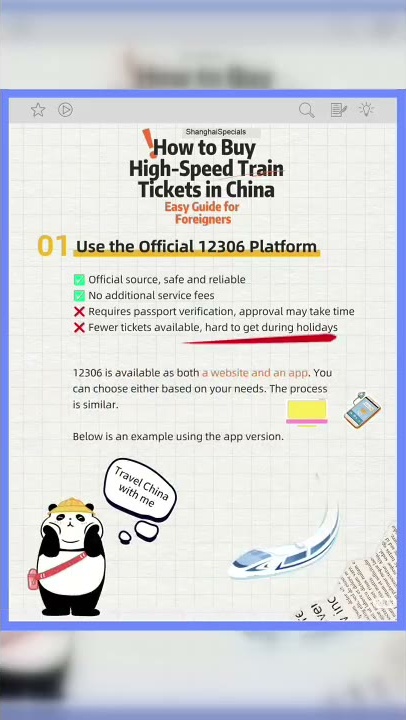
12306 or Trip.com: which should you use?
A travel booking platform with an English interface, order tracking, and customer support.Review the total price, any service fees, optional extras, and change or cancellation terms.
| Booking option | Why choose it? | What to check |
|---|---|---|
| 12306 | The official railway booking platform, with an English website and app interface. | Complete the required identity checks and allow time if manual verification is requested. |
| Trip.com |
What to prepare before booking
- Your passport: use the same document for the booking and your journey.
- Accurate passenger details: check your name, passport number, and any other required fields against your passport.
- An accessible email address: you may need to open a verification message.
- Your route and travel date: confirm the specific departure and arrival stations, especially in cities with several railway stations.
- A payment method: check the options offered at checkout before relying on a particular card.
How to book China train tickets on 12306
1. Open the English version
In the app version demonstrated in the video, go to Me → Settings → Switch Version → English. Menus can change with app updates. You can also start on the official 12306 English website.

2. Register and follow the identity-verification prompts
Create an account and enter your passport information carefully. The English website registration form supports foreign passports and asks for an email address. Follow the requirements shown in your chosen website or app flow rather than assuming every version asks for the same information.
If an email confirmation is requested, open the message and complete that step. Some passengers may also need a passport document review. The official manual passport-verification page states a review time of 3–5 working days. This applies to manual review; it is not a universal waiting period for every registration. Set up your account before the day you plan to book.
3. Choose your train and seat
Enter your departure station, arrival station, and travel date. Compare the available trains and select a seat class. Before paying, check the station names, departure time, passenger details, and price again. A city name alone is not enough to tell you which station to travel to.
4. Pay and confirm the ticket status
Complete payment within the time shown and open your order details. Make sure the ticket is confirmed or issued. A pending request or waitlist entry should not be treated as a confirmed seat.

How to book China train tickets on Trip.com
If you prefer to compare the alternative demonstrated in the video, open Trip.com and select its train-ticket booking section.
- Enter your departure city or station, destination, and travel date.
- Choose a train and seat class, checking the exact stations and journey times.
- Add each passenger’s passport details accurately.
- Review the total cost, including any service fees or optional extras, before paying.
- Open the order and confirm that the ticket has been issued.
Trip.com is a third-party booking platform. Check its current China train booking guidance and the conditions attached to your order. If you need a change or refund, review the applicable rules and costs first.

Boarding the train with your passport
For a journey using an e-ticket, bring the original passport used for the reservation. The official 12306 FAQ explains that passengers use the valid identity document associated with their e-ticket for travel; an itinerary printout is not a boarding ticket.
Keep your train number, departure time, station, and seat details handy. Allow time for station checks and ask staff for the appropriate passport-check lane if an automatic gate does not accept your document. Do not assume that every station uses the same gate arrangement.
Frequently asked questions
Can foreigners book trains on 12306?
Yes. The official English service supports foreign passports. Complete the registration and identity checks required for your account and passenger information.
Do I need a Chinese phone number?
The English website registration form offers email registration. App requirements may differ, so follow the current prompts and use an email address you can access.
Does passport verification always take 3–5 days?
No. The published 3–5 working-day estimate is for manual passport review. Complete any requested checks early and use the status shown in your account.
Do I need a paper ticket?
Normally, an e-ticket journey uses the identity document linked to the booking. Bring your original passport and follow the instructions in your confirmed order.