
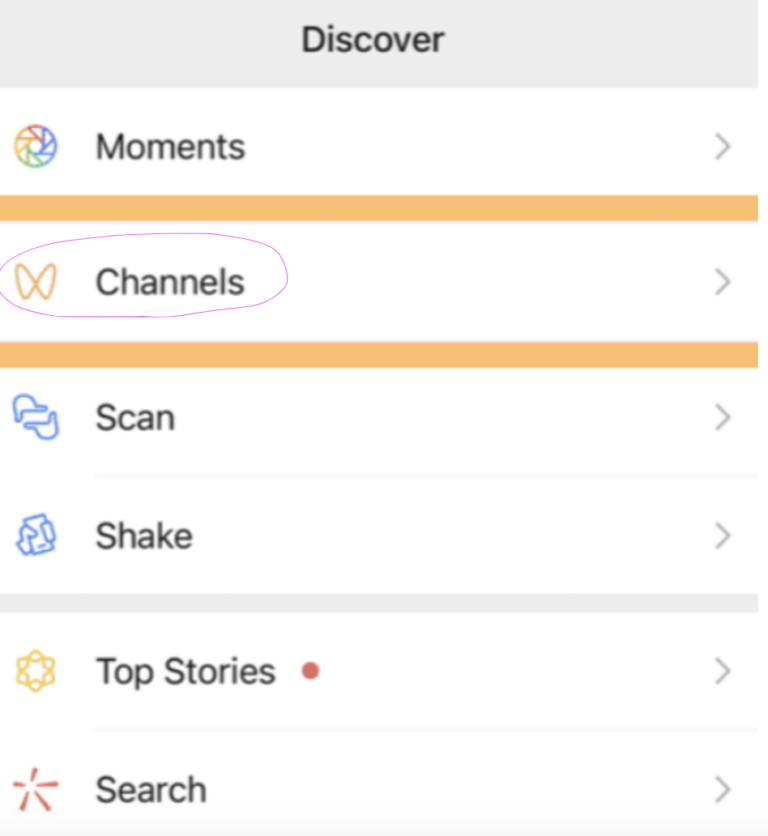


If WeChat Channels is missing, first distinguish a hidden Discover entry from a feed that will not load. Check the app’s Discover settings, update WeChat and note any account-specific message. There is no verified universal trick that enables Channels for every account.
Tencent describes Channels as an in-app service for sharing content beyond a user’s existing friends and followers. It is different from Moments, group chats and WeChat Official Accounts.
Which Channels problem do you have?
| Symptom | First check |
|---|---|
| No Channels entry in Discover | Look for a Channels toggle in Discover management, if available. |
| Channels opens but videos do not load | Check your connection, restart the app and test another video. |
| You can watch but cannot publish | Read the creator or account-verification prompt; viewing and publishing are different permissions. |
| One video or creator is unavailable | Check the specific notice. A single unavailable item does not prove the whole feature is broken. |
Check the Discover settings
In versions that expose this setting, look under Me → Settings → General → Manage Discover for Channels and its display toggle. Menu wording varies. If no toggle is offered, do not assume a missing switch can be restored by adding contacts, joining groups or posting more often.
Troubleshoot without losing your chats
- Update from the official app store, close WeChat and reopen it.
- If the entry opens but content stalls, compare Wi-Fi and mobile data and check whether other app content loads.
- Record the exact error message, your app version and whether the problem affects all videos or only one.
- Use the app’s Help & Feedback option to report a missing feature or restriction. Include a screenshot with personal information removed.
Avoid clearing app storage, logging out or reinstalling as a first step. Confirm your recovery details and back up important chats before taking any action that could remove local data.
Will changing language or adding friends unlock Channels?
These are not reliable activation methods. Nor should a group administrator need your login code to “enable” Channels. Feature availability and restrictions need an answer from the app for your particular account; this guide does not promise access by country or phone-number prefix.
For a different task, see our WeChat group search guide. The setting path above is version-dependent; the official product overview does not provide an account-by-account availability list.